Free Photo Quality Enhancer – Fix Soft Focus & Restore Natural Clarity

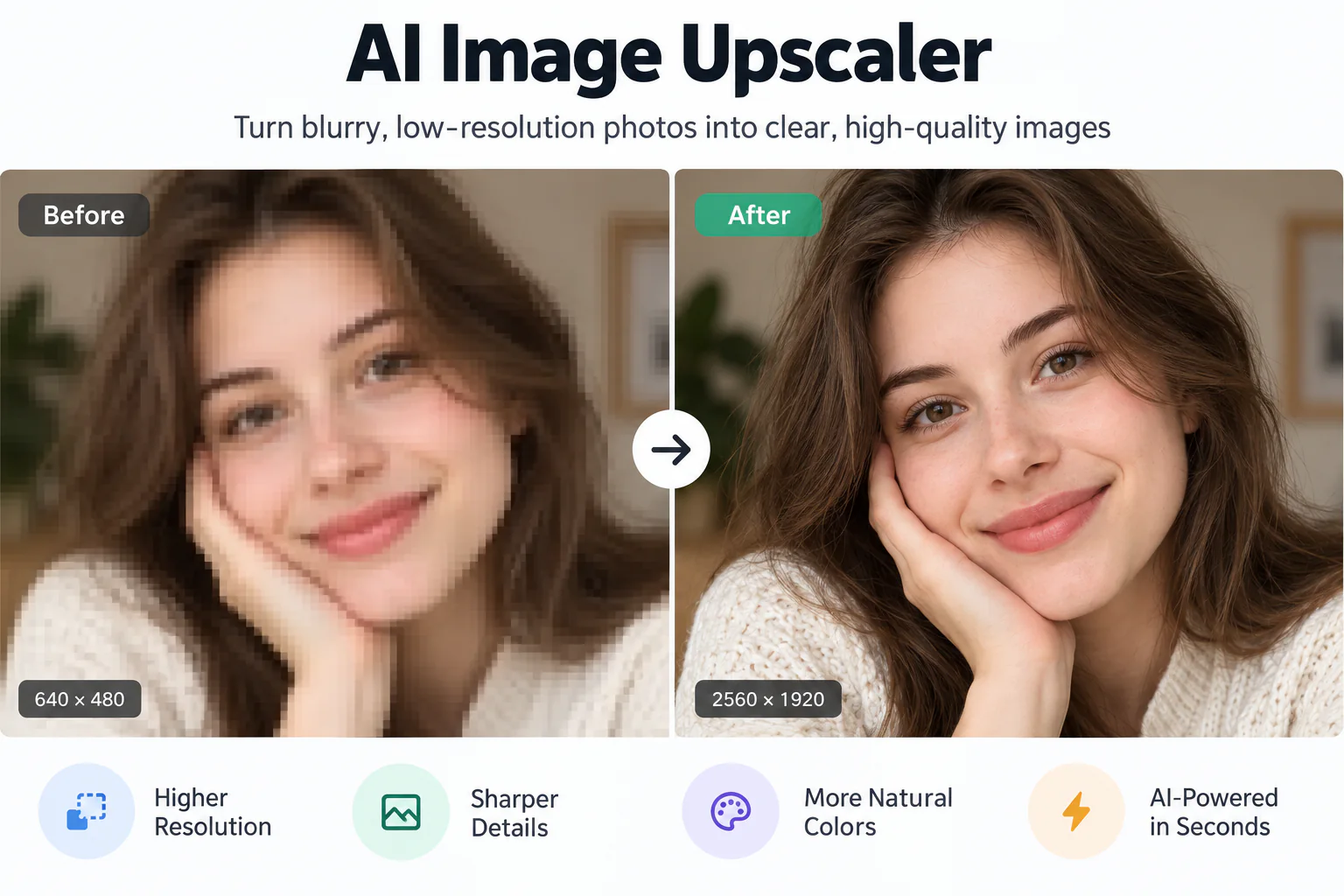
Discover a powerful free photo quality enhancer to rescue soft focus, balance dim lighting, and reveal crisp textures online. Upload any photo to experience instant AI clarity with an interactive side-by-side preview.

Enhanced quality
Original photo
↔
Original photoEnhanced quality

A Smarter Free Photo Quality Enhancer for Every Shot

Repair soft focus, balance uneven exposure, remove camera noise, and reconstruct natural photo textures without paying upfront or installing software.

Natural Detail Reconstruction Without Artificial Halos
01

Natural Detail Reconstruction Without Artificial Halos

Blunt sharpening tools often amplify digital noise and create harsh white outlines around subjects. EnhancePhoto uses generative neural models trained on high-resolution camera sensors to reconstruct genuine micro-textures—including hair follicles, fabric weaves, and petal veins—ensuring your photograph looks authentic and naturally focused.
One-Click Lighting Correction and Exposure Balance
02

One-Click Lighting Correction and Exposure Balance

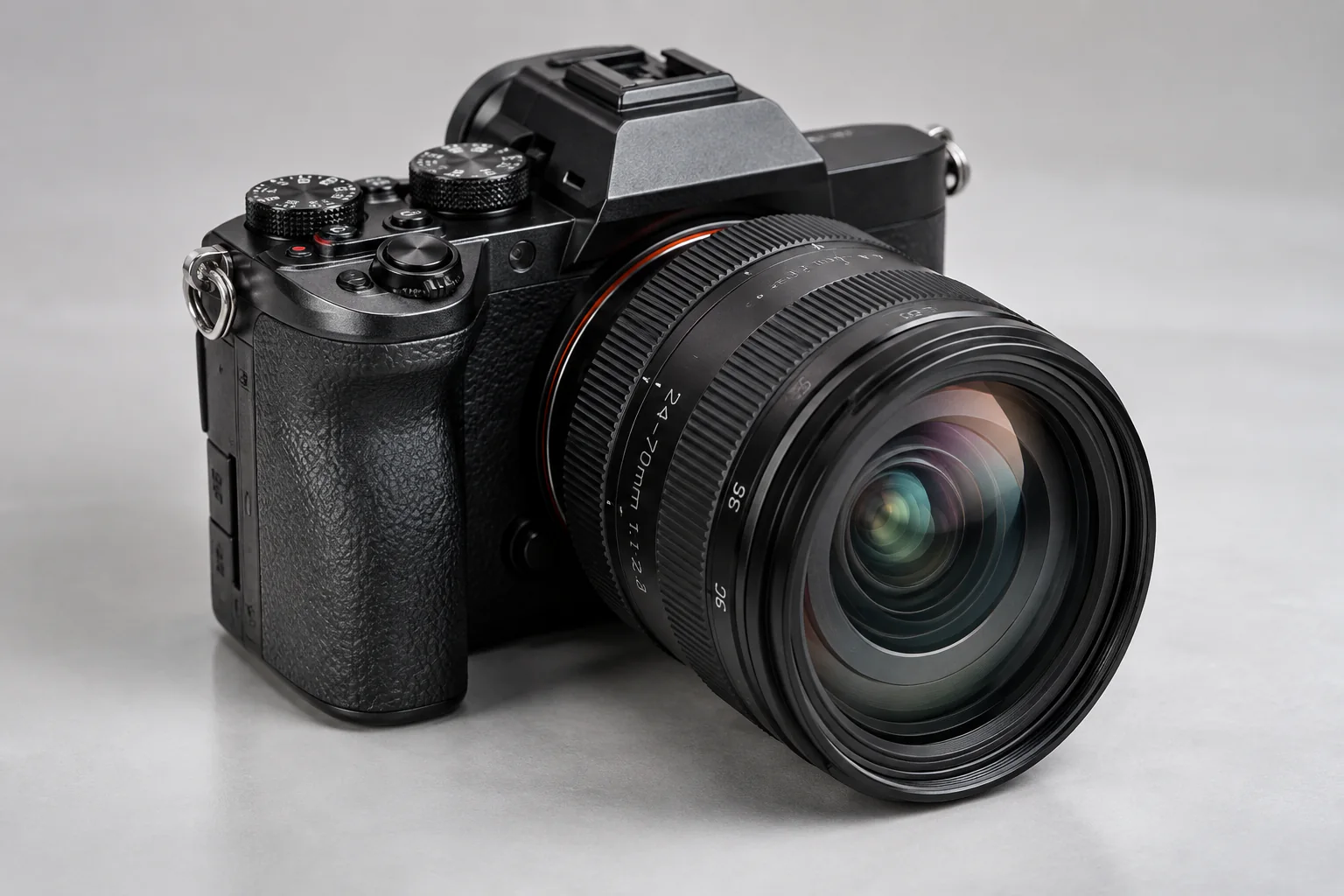
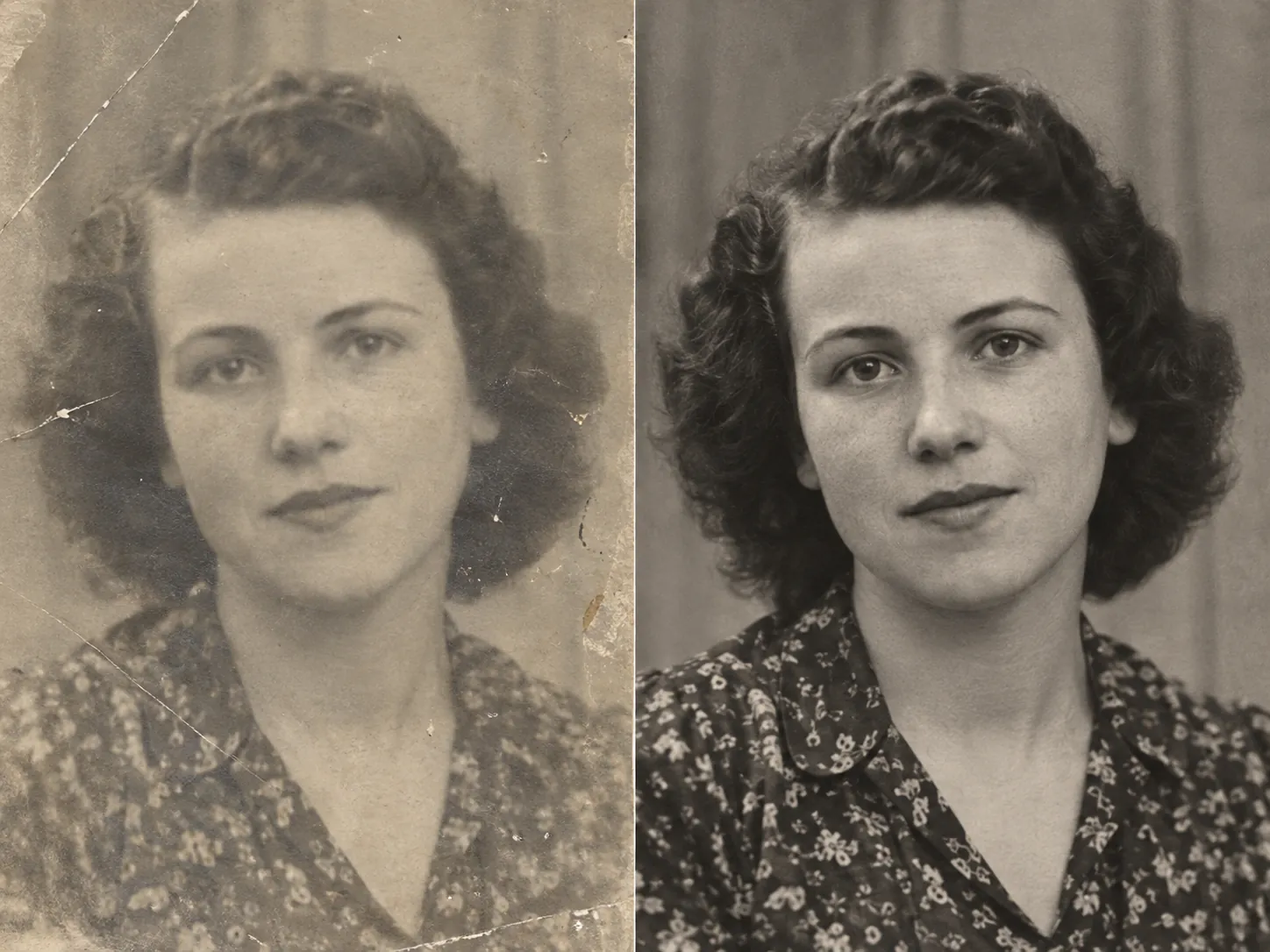
Uneven backlighting, harsh shadows, and dim indoor illumination can easily ruin meaningful photographs. Our photo quality enhancer analyzes image luminance histograms, brightening muddy shadows and recovering washed-out highlights while preserving authentic skin tones and realistic midtone contrast.

Instant Clarity for Smartphone Photos, E-Commerce, and Social Feeds
03

Instant Clarity for Smartphone Photos, E-Commerce, and Social Feeds

Small smartphone sensors frequently introduce grain in low light or suffer from slight hand shake. EnhancePhoto removes optical softness across product shots, family snapshots, and profile pictures in seconds, ensuring your images look crisp, professional, and trustworthy across online marketplaces and social media feeds.

Production-Ready Outputs for Portfolios and High-Resolution Printing
04

Production-Ready Outputs for Portfolios and High-Resolution Printing

Generate clean, professional-grade imagery for client presentations, portfolio websites, or digital displays. When you need to scale up your photograph for large wall prints or exhibition posters, pair your enhanced shot with our high-resolution AI upscaler to achieve crisp 4K fidelity.

Upscale enhanced photos to 4K

How to Use the Free Photo Quality Enhancer in 3 Steps

Upload your photo, let our AI quality engine analyze lighting and sharpen soft edges, then inspect your upgraded picture side by side before downloading.

  1. 1

    Upload your photograph

    Drop any JPG, JPEG, PNG, or WebP photo up to 10 MB into the browser. Mobile captures, product photos, and portraits load instantly.

  2. 2

    AI enhancer analyzes and refines quality

    Our neural network detects optical softness, corrects lighting imbalance, removes sensor grain, and restores authentic subject details in seconds.

  3. 3

    Preview side by side and download

    Slide the interactive Before/After comparison bar to verify clarity improvements, then export your polished, high-resolution photo without watermarks.

Next steps after enhancing photo quality

Combine your enhanced photo with our specialized resolution upscaler, JPEG artifact remover, and vintage photo restoration tools.

Upscale photos to 4K resolution

Enlarge your enhanced photos up to 4K or 8K resolution for large-format printing and ultra-sharp displays.

Open Image Upscaler

Remove compressed JPEG artifacts

Eliminate 8x8 block artifacts, mosquito noise, and compression pixelation from messaging app downloads.

Open JPEG Enhancer

Restore vintage family prints

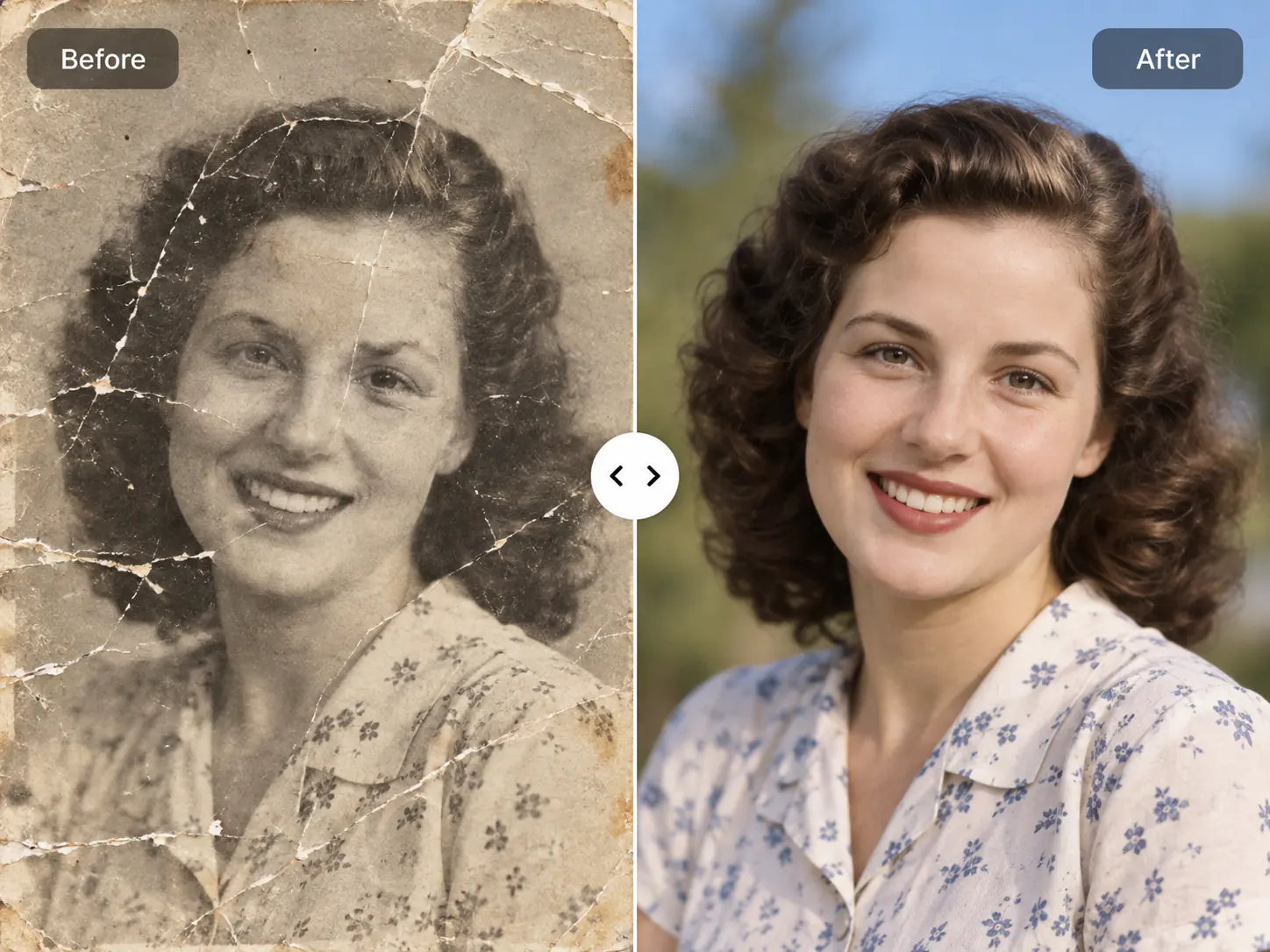
Repair physical scratches, tears, dust speckles, and faded contrast on historic heirloom photographs.

Open Photo Restoration

Free Photo Quality Enhancer FAQ

Answers to frequently asked questions about our free photo quality enhancer, feature comparisons, smartphone photo repair, privacy, and commercial licensing.

Free Photo Quality Enhancer FAQ

Answers to frequently asked questions about our free photo quality enhancer, feature comparisons, smartphone photo repair, privacy, and commercial licensing.

  1. 1

    What is a free photo quality enhancer and how does it work?

    A free photo quality enhancer is an AI-powered tool that analyzes low-quality images to eliminate focus softness, rebalance lighting, and reconstruct crisp textures without subscription fees. Rather than simply applying blunt sharpening filters that exaggerate noise, EnhancePhoto uses trained neural networks to synthesize lost fine details and deliver authentic visual clarity.

  2. 2

    What makes EnhancePhoto the best free photo quality enhancer online?

    EnhancePhoto stands out as the best free photo quality enhancer by offering instant browser-based processing, natural texture recovery without plastic artifacts, and zero forced watermarks. Users can upload photographs immediately and evaluate interactive side-by-side previews before spending credits or downloading high-resolution files.

  3. 3

    Is this photo quality enhancer completely free to test without signup walls?

    Yes, you can upload and test this photo quality enhancer with an instant Before/After preview directly in your browser without entering payment details. Free starter credits allow new users to evaluate full-resolution enhancement and experience the quality upgrade firsthand before committing to a paid plan.

  4. 4

    Does this free photo quality enhancer place watermarks on processed images?

    No, EnhancePhoto never stamps watermarks, logos, or branding overlays across your enhanced photographs. Every output you download remains clean, professional, and ready for public display on websites, social channels, or commercial marketing materials.

  5. 5

    How does a photo quality enhancer differ from an AI image upscaler?

    A photo quality enhancer improves optical clarity, contrast, and micro-textures at native 1x resolution, whereas an upscaler multiplies pixel dimensions (such as 2x or 4x to 4K). Enhancing photo quality first ensures the underlying shot is sharp and clean; you can then upscale the polished photo to 4K if you require large-format printing.

  6. 6

    What is the difference between a photo quality enhancer and a JPEG enhancer?

    A photo quality enhancer repairs overall camera focus blur, lighting exposure, and sensor noise, while a JPEG enhancer specifically targets 8x8 block artifacts and compression ringing. If your photo suffers from heavy compression grids saved from messaging apps, use our JPEG enhancer; for general softness and dull exposure, use this photo quality enhancer.

  7. 7

    Can I use this free photo quality enhancer to fix blurry smartphone photos?

    Yes, this free photo quality enhancer effectively corrects camera shake, missed autofocus, low-light grain, and soft lens capture common to iPhone and Android mobile photography. The AI sharpens eyelashes, skin textures, and background elements naturally without producing an artificial airbrushed look.

  8. 8

    How does the photo quality enhancer benefit e-commerce and product listings?

    The photo quality enhancer clarifies fine product textures, balances uneven studio lighting, and sharpens product edges to build buyer confidence and boost conversion rates on Amazon, Shopify, or eBay. Clear, high-fidelity item photos help shoppers inspect materials accurately and reduce return rates.

  9. 9

    Can I enhance photos for Instagram, Facebook, and professional social profiles?

    Yes, you can enhance portrait headshots, lifestyle pictures, and promotional graphics before posting to prevent social platform compression from turning your visuals muddy. Pre-enhancing your images preserves sharp subject details and vivid color contrast across both mobile feeds and desktop displays.

  10. 10

    Are my uploaded photos kept private, and can I use the enhanced images commercially?

    Yes, your uploads remain strictly confidential, protected by secure encryption, and never shared publicly or used to train public models. Furthermore, you hold full commercial ownership rights to all enhanced photos, allowing you to use them freely for client projects, advertising campaigns, and merchandise.

Ready to Enhance Your Photos with a Free Quality Enhancer?

Upload your soft or dim photograph now to test our free photo quality enhancer and preview crisp results instantly.