Free AI Image Enhancer – Enhance Photo Quality Online

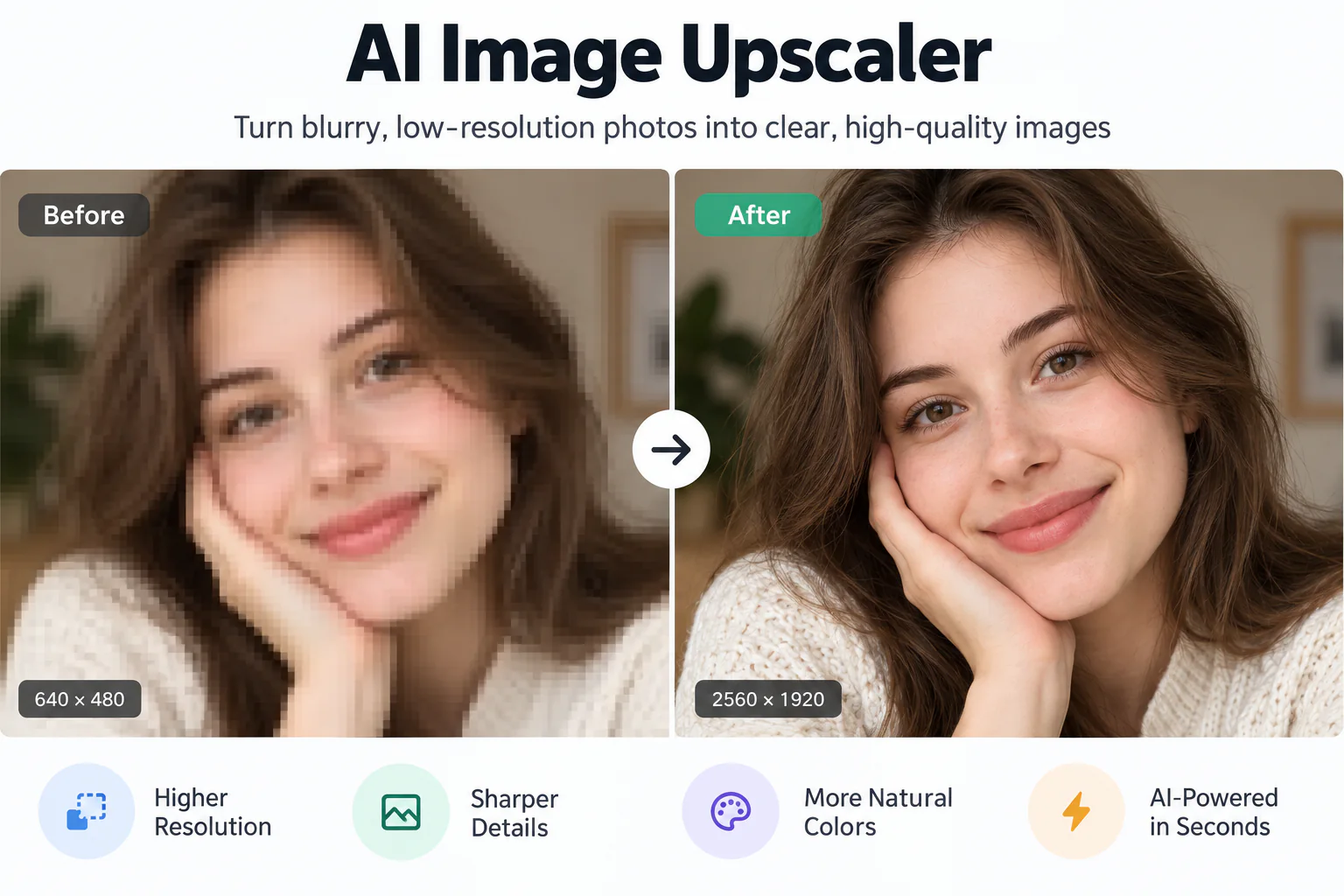
Turn low-quality, blurry, or noisy photographs into sharp, crystal-clear visuals with cutting-edge neural models. Upload one picture to preview the enhanced transformation instantly with our interactive slider.

Enhanced
Original photo
↔
Original photoEnhanced

Transform Blurry and Noisy Shots into Crystal-Clear Visuals

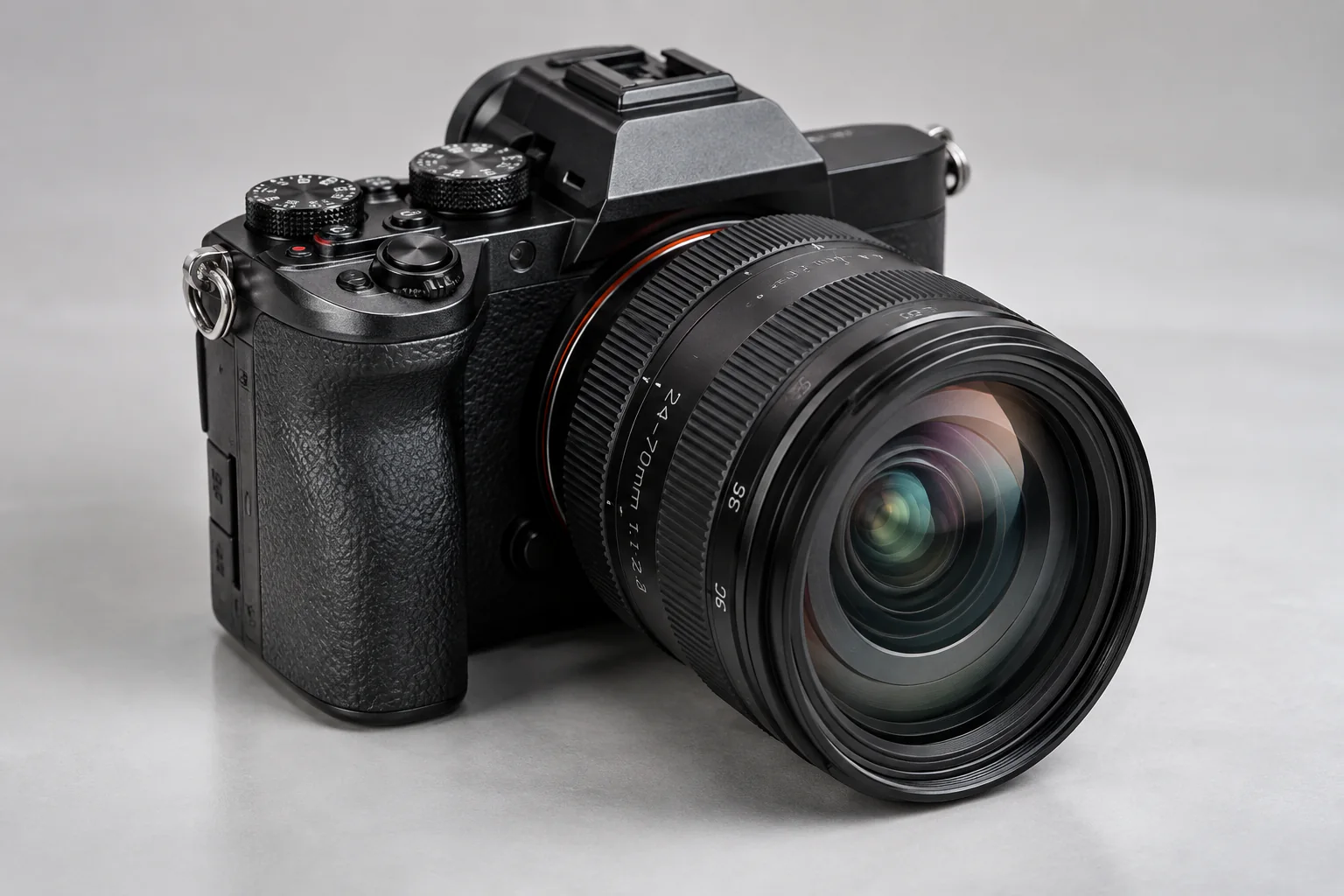
Enhance portraits, product photos, landscape shots, and camera captures with natural textures and authentic sharpness.

Intelligent Detail Restoration Without Artificial Halos
01

Intelligent Detail Restoration Without Artificial Halos

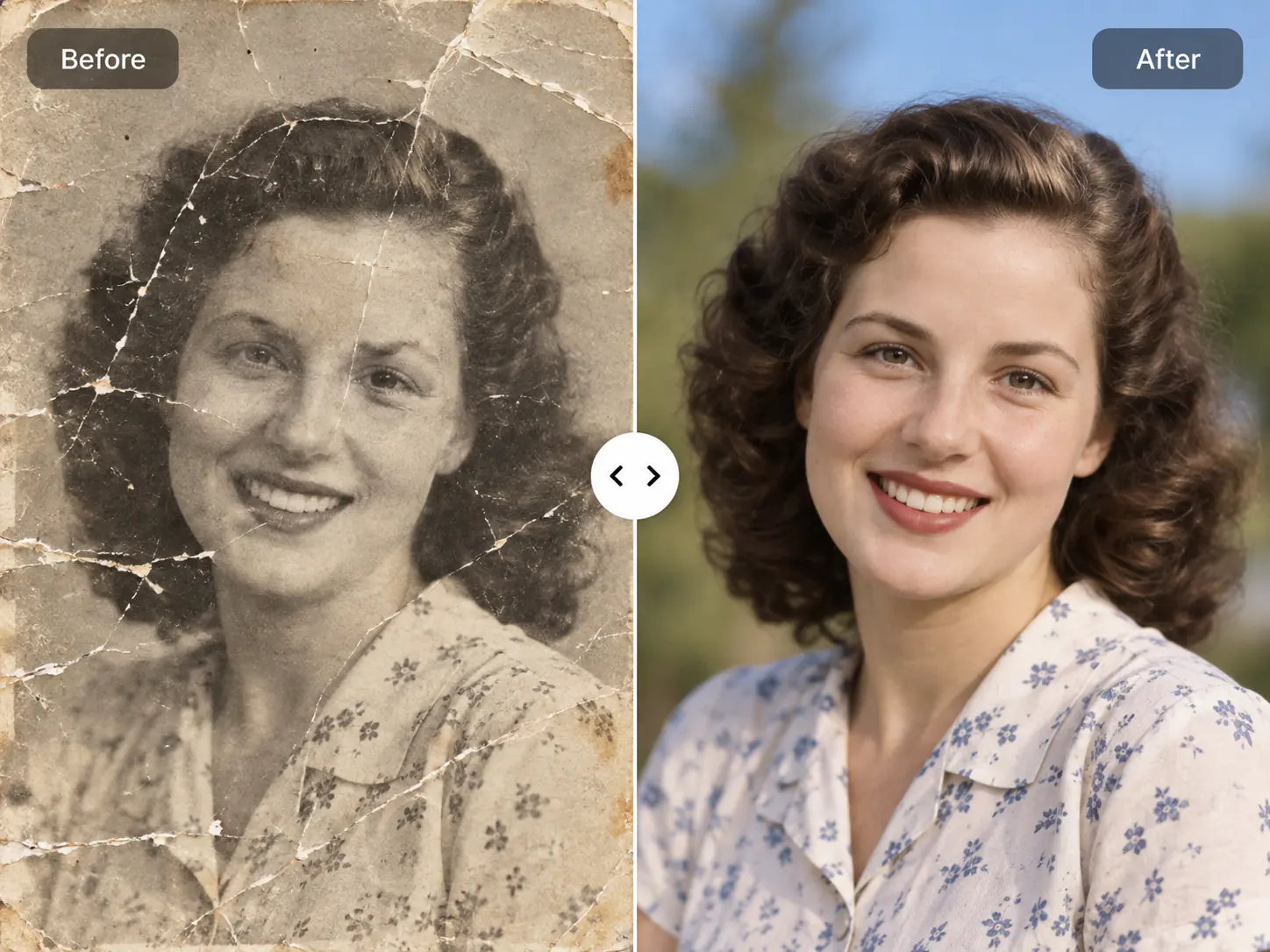
Conventional unsharp masking filters produce harsh white halos around edges and amplify ugly digital noise. EnhancePhoto uses generative convolutional networks trained on pristine optical photographs to differentiate genuine subject textures from sensor grain or JPEG compression artifacts. The resulting enhancement looks crisp, organic, and shot on a professional prime lens.
Lifelike Portrait Clarity and Micro-Texture Refinement
02

Lifelike Portrait Clarity and Micro-Texture Refinement

Portraits demand subtle, sophisticated enhancement. Our model isolates facial features to restore individual eyelash strands, iris clarity, natural lip contour, and authentic skin pores without smudging skin into plastic perfection. Facial identity and natural expression are strictly preserved.

Adaptive Low-Light Denoising and Contrast Optimization
03

Adaptive Low-Light Denoising and Contrast Optimization

Grainy night photos and underexposed camera captures suffer from chroma noise and muddy dark tones. EnhancePhoto intelligently separates color blotches from true shadow luminance, lifting obscured details in shadows while preserving highlight stability and color richness across the dynamic range.

E-Commerce, Social Media, and Professional Photography Ready
04

E-Commerce, Social Media, and Professional Photography Ready

Elevate product photos for Amazon and Shopify, sharpen profile pictures for LinkedIn, or refine wedding and vacation memories for digital photo albums. Clean, crisp visuals convert higher and look stunning across high-DPI Retina screens and print portfolios.

Upscale enhanced photos to 4K

How to Enhance Photo Quality Online with AI

Generative deep learning restores missing high-frequency textures: upload a photo, let the neural network infer authentic edges and details, then inspect clarity side-by-side before downloading.

  1. 1

    Upload your photo

    Select a JPG, PNG, or WebP photo up to 10 MB. High-resolution input provides richer baseline details for the AI enhancement engine.

  2. 2

    AI refines clarity and textures

    Our deep learning clarity model removes noise, sharpens soft edges, corrects optical blur, and accentuates facial details naturally.

  3. 3

    Inspect, compare and export

    Use the real-time Before/After slider to verify enhanced textures, edge crispness, and clean contrast, then export your enhanced high-resolution image.

Next steps after photo enhancement

Combine your newly enhanced visual with our complementary upscaling and restoration tools for professional studio output.

Upscale to 4K or 8K

Enlarge your enhanced image for large-format printing and high-res displays without losing sharpness.

Open Image Upscaler

Colorize vintage memories

Add authentic, period-accurate colors to black-and-white or sepia photographs.

Open Photo Colorizer

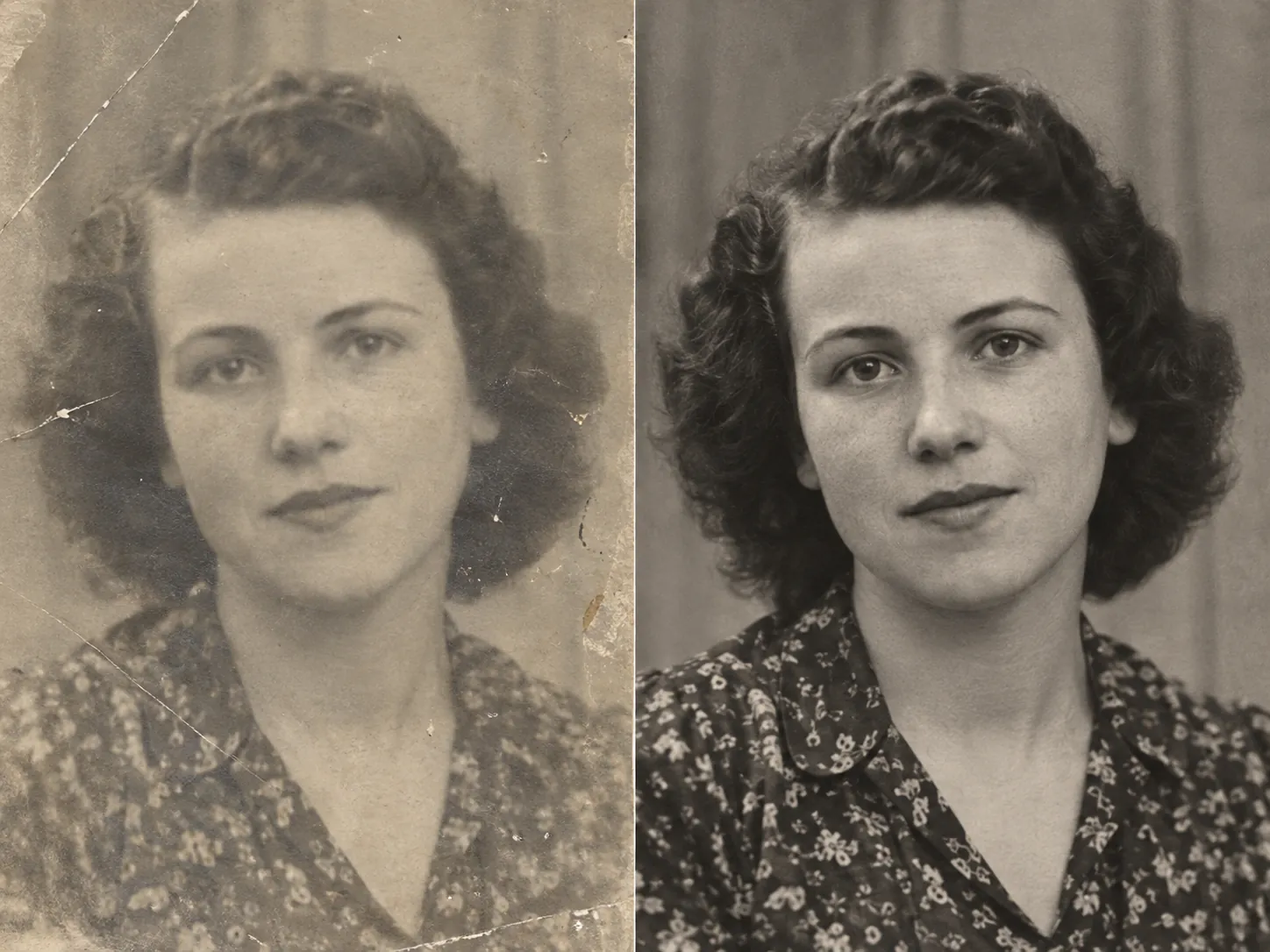
Restore old family prints

Repair tears, scratches, dust speckles, and fading on antique heirloom photos.

Open Photo Restoration

AI Image Enhancer FAQ

Everything you need to know about AI photo enhancement quality, difference from upscaling, unblurring, free preview, privacy, and supported formats.

AI Image Enhancer FAQ

Everything you need to know about AI photo enhancement quality, difference from upscaling, unblurring, free preview, privacy, and supported formats.

  1. 1

    What is the best AI image enhancer to improve photo quality online?

    EnhancePhoto is rated among the top AI image enhancers because it combines deep neural detail synthesis with facial identity preservation. It sharpens soft edges, removes noise, and boosts contrast naturally rather than applying harsh artificial sharpening filters, complete with a real-time side-by-side Before/After comparison slider.

  2. 2

    Can I enhance photo quality online for free?

    Yes, EnhancePhoto provides free preview access. You can upload any low-quality or blurry image and inspect the real-time enhanced comparison directly in your web browser before spending credits or downloading high-resolution copies.

  3. 3

    What is the difference between an image enhancer and an image upscaler?

    An image upscaler focuses primarily on multiplying pixel dimensions (e.g. 2x or 4x to 4K/8K resolution). An image enhancer focuses on image fidelity—sharpening soft focus, eliminating digital noise, restoring facial features, and balancing contrast—even without necessarily blowing up physical dimensions. For best results, enhance first, then upscale.

  4. 4

    How does AI enhance photo quality?

    Our AI enhancer uses convolutional neural networks trained on millions of high-resolution professional photographs. The algorithm recognizes specific object classes (such as human eyes, hair, foliage, and textiles) and predicts the high-frequency micro-textures that were lost to camera shake, lens blur, or aggressive compression.

  5. 5

    Can AI fix blurry or out-of-focus photos?

    Yes. Mild to moderate optical blur, motion shake, and compression softness can be significantly corrected. The neural network infers sharp edge transitions and aligns contrast to transform soft photos into crisp, presentable images.

  6. 6

    Will AI enhancement change the faces in my photo?

    No. EnhancePhoto preserves original facial geometry, identity, and natural expressions. The enhancement sharpens eyes, lips, and facial hair while keeping the person completely authentic and recognizable.

  7. 7

    Can I enhance photos without creating an account?

    You can upload and preview clarity enhancements directly in the web app. To store your finished high-resolution results in your private History or process multiple photos, a free sign-in is available.

  8. 8

    Can I enhance photos on an iPhone or Android phone?

    Yes. EnhancePhoto is completely mobile-responsive. You can take a photo with your mobile camera or pick a picture from your camera roll and enhance it directly in mobile Safari or Chrome without installing an app.

  9. 9

    Can I enhance old scanned vintage photographs?

    Yes. While our dedicated Photo Restoration tool specializes in repairing cracks and physical scratches, Image Enhancer works wonderfully on vintage photos to sharpen facial features, enhance contrast, and eliminate scanner noise.

  10. 10

    How many credits does photo enhancement cost?

    A standard high-fidelity photo enhancement task uses 2 credits per rendered image. The live credit cost is always transparently displayed on the action button before submission.

  11. 11

    Which image formats and file sizes are supported?

    EnhancePhoto supports JPG, JPEG, PNG, and WebP files up to 10 MB per image.

  12. 12

    Can I print enhanced photos?

    Yes. After enhancing clarity, you can download the print-ready image. If you plan to print large-format posters (such as 16x20 inches or larger), we recommend sending the enhanced photo through our AI Image Upscaler to achieve 4K or 8K resolution first.

  13. 13

    Are my uploaded photos kept private and secure?

    Yes. EnhancePhoto does not share or publish your uploads to public galleries. Tasks are stored in your private account History and processed strictly under our Privacy Policy.

  14. 14

    Can I use enhanced images commercially?

    Yes. You retain full ownership and commercial rights to your generated and enhanced images. You can use them freely for e-commerce listings, advertising campaigns, and client deliverables.

  15. 15

    How do I remove noise from grainy photos with AI?

    Simply upload your grainy or low-light photo to EnhancePhoto. The neural network automatically detects luminance and chrominance noise patterns and suppresses them while preserving genuine texture boundaries.

Ready to Boost Your Photo Quality in Seconds?

Upload your blurry or noisy shot now and see crisp, natural detail restored instantly.