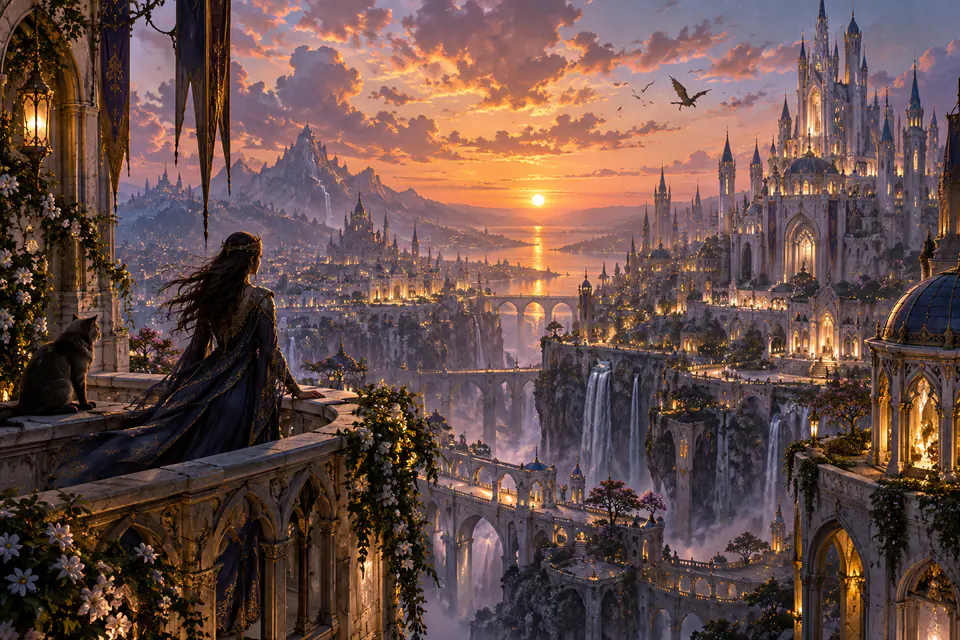
Upscale images online to 2K or 4K with AI. Processing starts as soon as you upload — the exact credit cost is shown before processing, and free daily credits need no sign-in.
↔
BeforeAfter
AI restores visible detail while preserving the original composition and aspect ratio.
An AI image upscaler for every kind of image
Use EnhancePhoto as an image and photo upscaler for low-resolution portraits, screenshots, product photos, and AI art. Each example shows where extra resolution helps and what to inspect before download.
Portraits and old photos
Use the AI photo upscaler for portraits, scanned family photos, and other low-resolution photo files before using them in albums, slideshows, or larger displays. Drag the comparison to inspect facial edges, hair, clothing, and fine texture while keeping the original crop consistent.
↔
BeforeAfter
Documents and screenshots
Increase image resolution for screenshots, scanned documents, charts, and presentation graphics so interface lines and visual structure remain easier to read in reports, tutorials, and larger layouts. Always inspect small text and numbers after upscaling.
↔
BeforeAfter
E-commerce product shots
Upscale product images for storefront zoom, marketplace galleries, catalogs, and ads. Compare the low-resolution source with the clearer result to inspect product edges, materials, packaging, and visible texture before publishing.
↔
BeforeAfter
AI art and illustrations
Upscale AI-generated images, anime, posters, icons, and digital illustrations before using them in social posts, presentations, wallpapers, or print. Extra resolution helps line work, gradients, and decorative details hold up at larger sizes.
↔
BeforeAfter
How to upscale an image with AI
Upscale an image online in three steps: upload a clear source, choose a 2K or 4K output tier, then compare and download the higher-resolution result.
1
Upload a clear source
Choose a JPG, PNG, or WebP image up to 10 MB. You can also focus the upload area and paste an image from your clipboard. The clearest source produces the most reliable enhancement.
2
Choose 2K or 4K
Use 2K for a balanced high-resolution result or 4K when the final asset needs a larger output target.
3
Compare and continue
Inspect the enhanced detail, download the finished image, or open the result directly in the AI Image Editor for another editing pass.
Keep working without starting over
Upscaling is often one step in a larger workflow. Move into another EnhancePhoto tool when you need restoration, editing, or a wider composition.
Standard Enhance2K/4K UpscalePhoto RestoreColorize
10,000 credits with monthly billing or 120,000 with yearly billing
Watermark-free downloads while paid credits remain
Priority processing
Full privacy — outputs stay in your account
Batch upscale up to 10 images when you have paid credits
Use credits on all enhancement tools
Cancel renewal anytime
AI Image Upscaler FAQ
Answers about AI image upscaling, regular resizing, low-resolution photos, 2K and 4K output, mobile use, bulk processing, formats, and privacy.
How do I upscale an image to 4K online?+
Upload a JPG, PNG, or WebP file up to 10 MB, select the 2K or 4K output resolution tier, and generate. EnhancePhoto uses neural super-resolution to sharpen edges, reconstruct fine textures, and output a clean 4K result without distorting the original composition or aspect ratio.
Which AI image upscaler is best for 4K resolution?+
EnhancePhoto is built specifically for deterministic 2K and 4K output fidelity. Unlike basic resizing tools that stretch pixels and create blurry artifacts, our AI models reconstruct lost high-frequency detail, text readability, and product textures while keeping your original framing intact.
Can I upscale images to 4K for free?+
You can try it free with the daily guest allowance: 2 free credits cover one standard 2K job. A 4K job uses 6 credits, so sign in for a larger daily free balance or use paid credits.
Can an AI image upscaler fix a pixelated photo?+
It can reduce the appearance of blocky pixels, rough edges, and compression artifacts when there is enough visual information in the source. It cannot faithfully recover details that were never captured, so heavily damaged or extremely tiny images may still have limits.
How can I make a low-resolution photo higher resolution?+
Start with the clearest copy you have and choose the 2K or 4K output tier instead of repeatedly resizing an already compressed version. EnhancePhoto preserves the original composition and aspect ratio while AI recovers clearer edges and texture.
How do I upscale an image without losing quality?+
No enlargement can guarantee zero quality loss, but AI upscaling can produce a cleaner result than simple pixel interpolation. Choose 2K when that is enough for your target use, use 4K when you need a larger output target, and always inspect fine text, faces, and repeating textures after processing.
What is an AI image upscaler?+
An AI image upscaler creates a higher-resolution result while using learned visual patterns to improve the appearance of edges, texture, and compressed detail instead of relying only on simple interpolation.
What is the difference between AI image upscaling and regular resizing?+
Regular resizing changes pixel dimensions by interpolating existing pixels. AI upscaling can also restore cleaner edges and plausible texture, but it still cannot guarantee recovery of details that were never present in the source.
What types of images work best with an AI image upscaler?+
Clear low-resolution photos, product shots, screenshots, scanned images, illustrations, anime, and AI art are good candidates. Results are less predictable with severe motion blur, extremely tiny text, heavy compression, or badly damaged sources, so inspect important details before publishing.
What do 2K and 4K mean here?+
They are output-resolution tiers rather than promises of an exact 2× or 4× mathematical enlargement. EnhancePhoto keeps the source aspect ratio and aims for the selected high-resolution tier while prioritizing visual fidelity.
Does upscaling crop or reshape my image?+
It should preserve the original composition and aspect ratio. The enhancement prompt explicitly prioritizes source fidelity and asks the model not to crop, extend, reposition, or redesign image content.
Can I use the AI photo upscaler on iPhone or Android?+
Yes. EnhancePhoto runs in a modern mobile browser, so you can upload a supported image, choose 2K or 4K, compare the result, and download it from an iPhone or Android device without installing a desktop editor.
Can I bulk upscale images?+
Yes. Active subscribers and users with paid credit-pack balance can submit multiple JPG, PNG, or WebP files in one batch, up to 10 images at a time. Credits are charged per image, and each image remains a separately tracked job so one failed file does not replace the results from successful files.
How many credits does image upscaling use?+
A single 2K job uses 2 credits and a 4K job uses 6 credits. Batch cost is calculated from the number of selected images, and EnhancePhoto shows the total before processing.
Which image formats are supported?+
EnhancePhoto accepts JPG, PNG, and WebP files up to 10 MB each. For downloads, keep the generated format or convert the finished image in your browser to PNG, JPG, or WebP. For better results, use the clearest available source rather than a screenshot or copy that has already been compressed several times.
Are my uploaded images public?+
No. EnhancePhoto does not publish uploaded images or upscaled results to a public gallery. Signed-in jobs are associated with private account history and handled according to the privacy policy.
Can I use upscaled images commercially?+
Users with remaining paid credits receive watermark-free HD downloads. Active subscribers also receive commercial usage rights, subject to EnhancePhoto's terms and the rights you already hold for the source image.
What is the maximum upscale resolution — 2K or 4K?+
EnhancePhoto currently supports 2K and 4K output tiers only. Choose 2K for everyday sharing and web use, and 4K when you need a larger print-ready result. 8K and 16K tiers are not offered.
Does the AI image upscaler keep the original art style and texture?+
Yes. EnhancePhoto is strictly designed to keep the original photo style, brushwork, grain, and color palette completely intact. Unlike generative tools that hallucinate random features, our deterministic upscaler only sharpens authentic edges and recovers missing pixel fidelity.
Can I upscale images to 4K free without an account?+
Yes for a standard 2K job. Guests get 2 free credits per day and can upload without an account; the 4K tier uses 6 credits, so sign in for more daily free credits or a paid pack.