Make Picture Better Quality – Fix Soft Focus, Dim Lighting & Grain

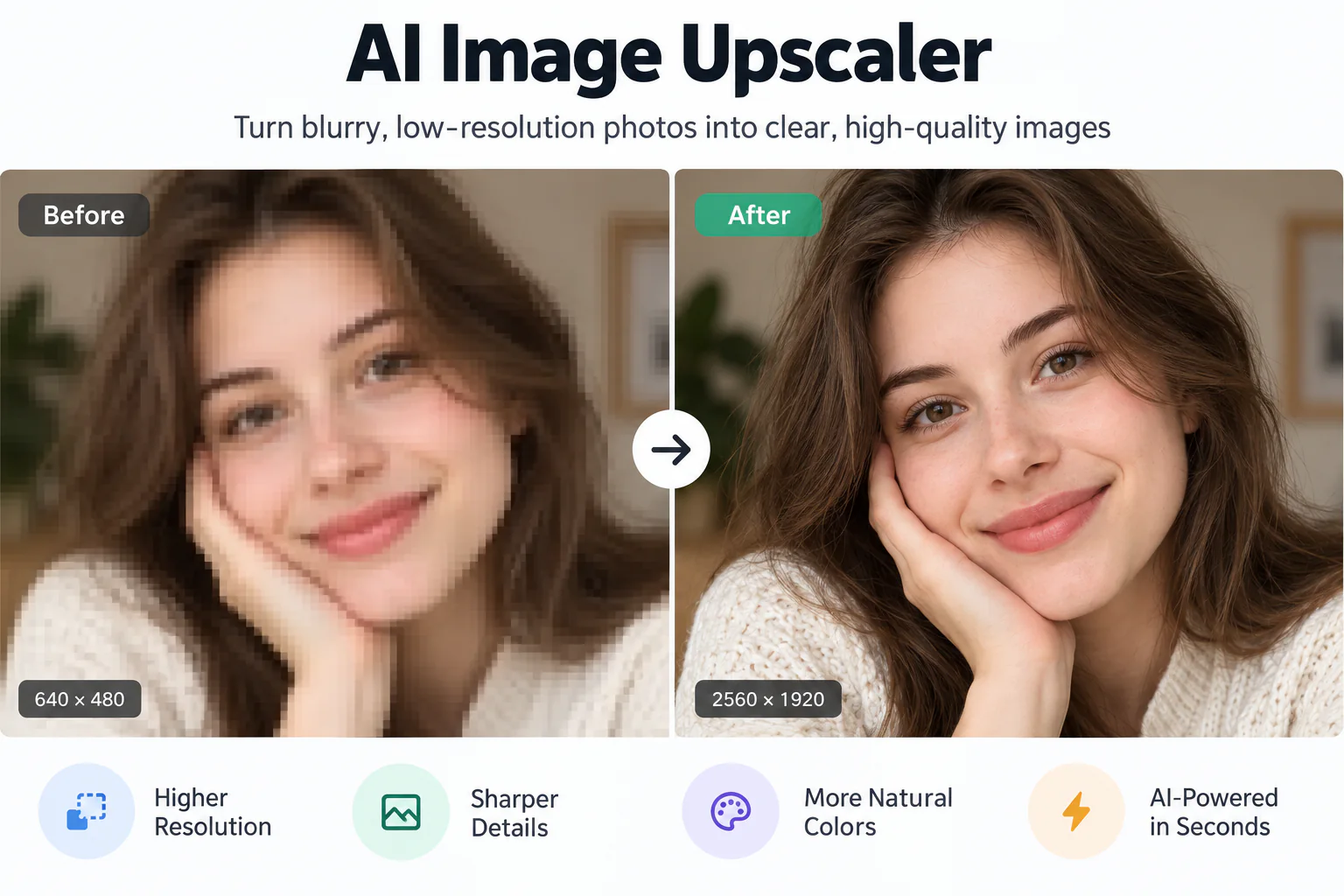
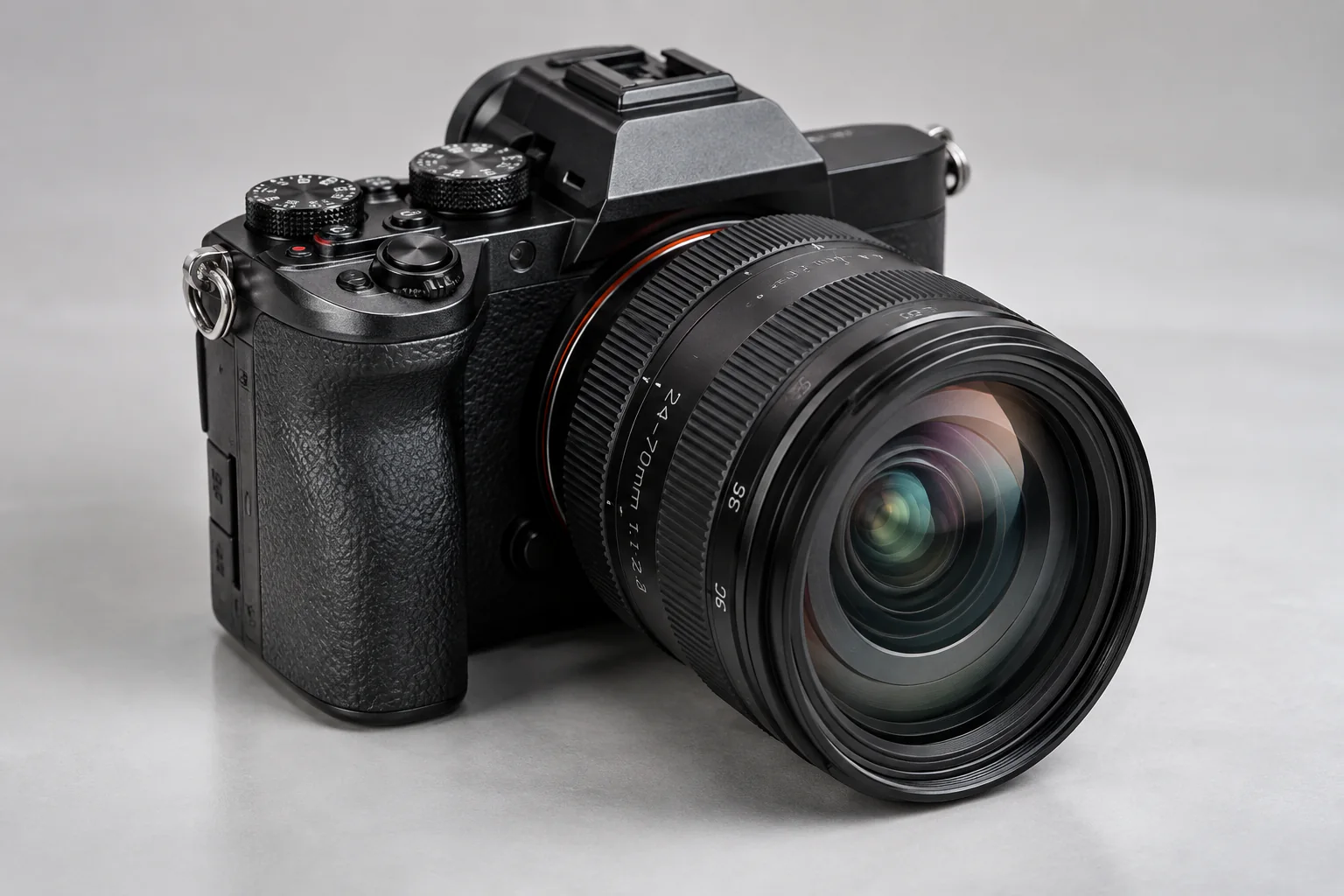
Easily make picture better quality with EnhancePhoto in seconds, fixing soft focus, dim indoor lighting, and noisy grain across everyday snapshots. Preview your before-and-after improvements with an interactive slider and download crisp pictures ready to post or print.

Better quality
Original picture
↔
Original pictureBetter quality

Fix Soft, Muddy, and Noisy Snapshots with Instant Clarity

Transform fuzzy phone snaps, dark family pictures, and muted product photos into crisp, vibrant images with authentic textures and balanced lighting.

Fix Soft Focus and Blurry Contours on Everyday Pictures
01

Fix Soft Focus and Blurry Contours on Everyday Pictures

When camera shake, moving subjects, or missed autofocus leave your picture looking fuzzy, EnhancePhoto sharpens edge definition and restores clear subject contours without adding harsh white rings or artificial jagged lines.
Brighten Underexposed Pictures and Balance Dim Indoor Lighting
02

Brighten Underexposed Pictures and Balance Dim Indoor Lighting

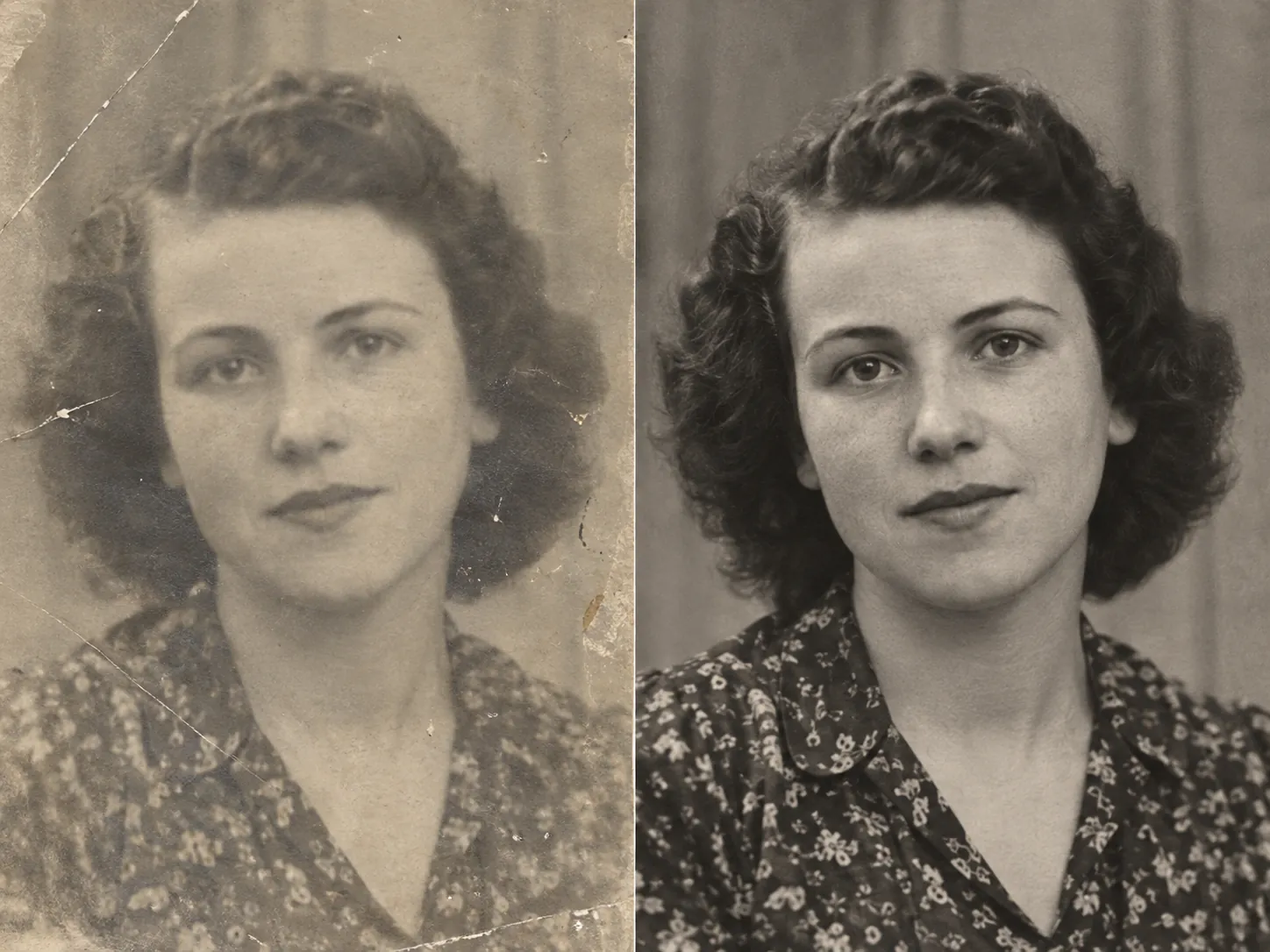
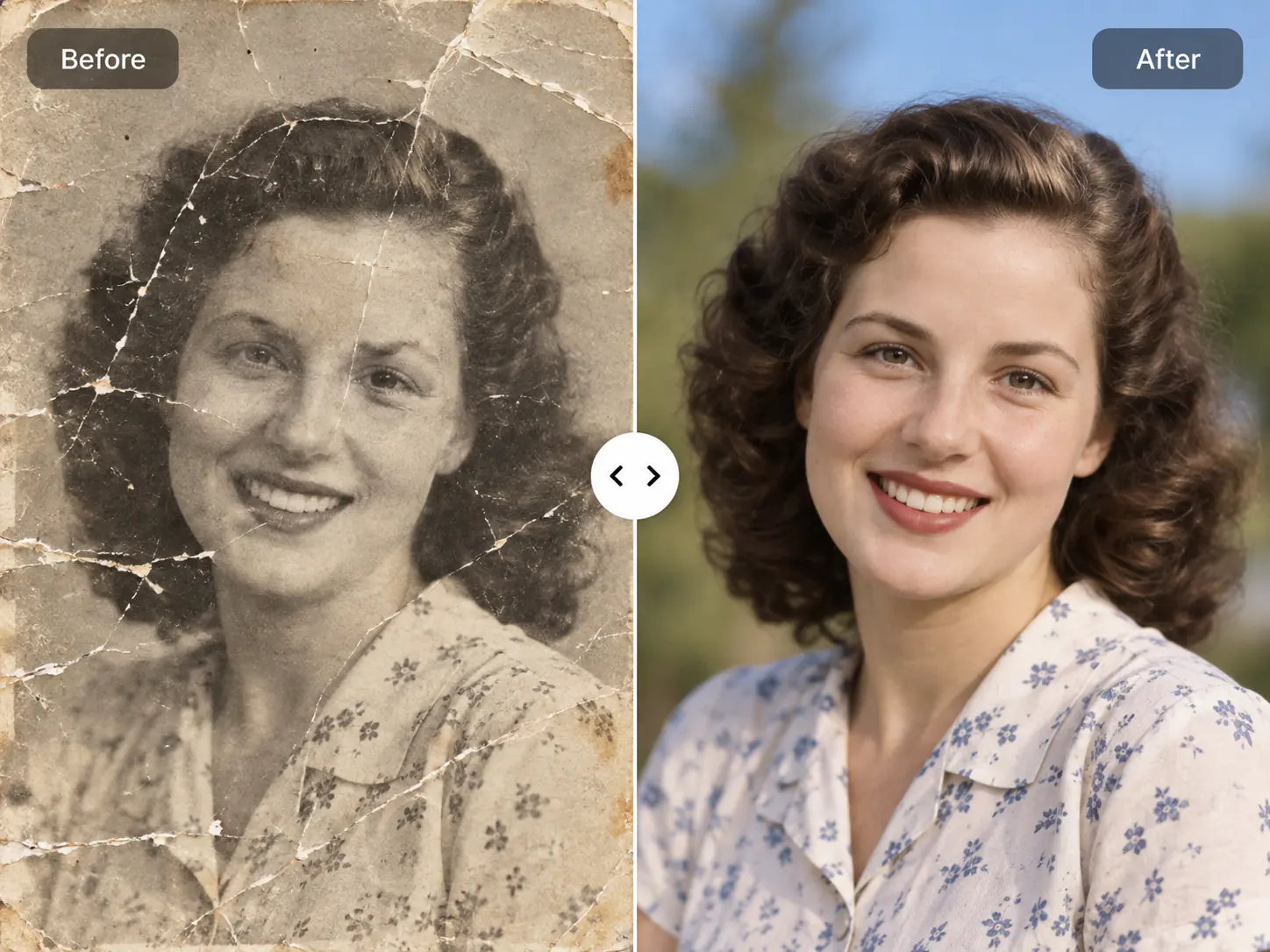
Pictures taken in dim restaurants, shaded rooms, or harsh backlighting often look murky and flat. The tool intelligently recovers dark shadow tones, balances midtones, and restores natural highlights so your picture looks bright, vibrant, and evenly exposed.

Clear Sensor Noise and Grain While Preserving Real Details
03

Clear Sensor Noise and Grain While Preserving Real Details

High-ISO shots from smartphones and point-and-shoot cameras often suffer from speckly color noise and coarse luminance grain. EnhancePhoto smooths unwanted noise while keeping natural skin texture, clothing weaves, and foliage crisp and lifelike rather than smudged.

Make Pictures Better Quality for Social Shares, Products, and Prints
04

Make Pictures Better Quality for Social Shares, Products, and Prints

Whether preparing marketplace product pictures for Amazon and eBay, polishing social posts for Instagram, or saving cherished family memories, make any picture look clean and professional in seconds without learning graphic design.

Upscale your picture to 4K

How to Make Picture Better Quality in 3 Quick Steps

Improve fuzzy, dim, or noisy pictures easily: upload your original shot, let automated clarity processing fix lighting and sharpness, then inspect the side-by-side results before saving.

  1. 1

    Upload your original picture

    Select any JPG, JPEG, PNG, or WebP picture up to 10 MB. Drop in soft smartphone captures, dim indoor photos, or flat product shots.

  2. 2

    Automated processing fixes clarity

    EnhancePhoto sharpens fuzzy edges, lifts muddy shadows, balances contrast, and cleans distracting noise in seconds.

  3. 3

    Compare side by side and download

    Use the interactive slider to inspect your improved picture against the original, then export your crisp image ready to use.

Next steps after making your picture better quality

Explore our companion tools to upscale for large prints, clean compressed JPEG artifacts, or restore old family memories.

Upscale pictures to 4K or 8K resolution

Enlarge your crisp, enhanced picture for large-format printing or high-resolution desktop wallpapers without losing clarity.

Open Image Upscaler

Clean blocky JPEG compression artifacts

Remove 8x8 pixel blocks, mosquito noise, and compression blur from pictures shared through messaging apps.

Open JPEG Enhancer

Restore antique family photographs

Fix scratches, paper creases, surface dust, and fading on vintage heirloom prints and scanned memories.

Open Photo Restoration

Make Picture Better Quality FAQ

Find answers to common questions about how to make pictures better quality, fix soft focus and dim lighting, and preview results free online.

Make Picture Better Quality FAQ

Find answers to common questions about how to make pictures better quality, fix soft focus and dim lighting, and preview results free online.

  1. 1

    How do I make picture better quality without Photoshop or editing experience?

    You can make picture better quality instantly by uploading your image to EnhancePhoto, where automated processing corrects soft focus, brightens muddy lighting, and reduces noise in a single click. You do not need to learn manual adjustment layers, curves, or unsharp masks like in professional desktop software.

  2. 2

    Can I make picture better quality online for free?

    Yes, you can make picture better quality online for free using EnhancePhoto’s instant web preview, which lets you compare before-and-after results side by side before downloading. Simply drop your photo into the browser to inspect sharpness, exposure, and color corrections without upfront payment or mandatory software downloads.

  3. 3

    How does EnhancePhoto make a blurry, dull, or noisy picture better?

    EnhancePhoto analyzes your picture to sharpen soft outlines, lift underexposed shadows, and suppress distracting color noise while preserving authentic facial and background textures. Rather than applying a blanket sharpen filter that creates harsh halos, it targets specific imperfections to keep the picture looking natural and clean.

  4. 4

    What is the difference between making a picture better quality and upscaling it?

    Making a picture better quality improves sharpness, lighting balance, and surface clarity at native size, while upscaling multiplies pixel dimensions to 2x, 4x, or 4K resolution. If you enlarge a soft or noisy picture without fixing quality first, you simply magnify flaws. We recommend making the picture better quality first, then using our Image Upscaler if you need larger print dimensions.

  5. 5

    How is this page different from a specialized JPEG enhancer?

    This page fixes everyday photo flaws like soft camera focus, dim indoor lighting, and high-ISO grain, whereas our JPEG Enhancer specifically removes blocky 8x8 compression squares. If your photo suffers from heavy compression artifacts from messaging apps, use our JPEG Enhancer; for everyday mobile pictures and camera captures, this tool delivers the right fix.

  6. 6

    What is the difference between making a picture better quality and using an outcome-focused photo enhancer?

    This tool provides a direct, action-oriented workflow to fix soft, dark, or noisy everyday snapshots, giving you an immediate before-and-after preview without navigating complex editing menus. It is designed for everyday smartphone users, hobbyists, and casual creators who want a fast, hands-on solution to repair imperfect pictures.

  7. 7

    Can I make downloaded phone pictures and social media uploads look better?

    Yes, you can easily improve downloaded smartphone pictures, social media screenshots, and camera roll snaps by uploading them directly through your mobile or desktop browser. EnhancePhoto compensates for tiny phone sensor limitations, cleaning up muddy indoor lighting and sharpening fine details so pictures look vibrant on any screen.

  8. 8

    Can I make product pictures better quality for eBay, Etsy, and Amazon?

    Yes, EnhancePhoto helps online sellers make product pictures better quality by clarifying product contours, brightening dark backgrounds, and highlighting authentic material textures. Sharp, well-lit product images build buyer trust, increase click-through rates, and make marketplace listings look professional without expensive studio gear.

  9. 9

    Is my picture kept private, secure, and confidential after upload?

    Yes, your uploaded pictures and enhanced results are strictly protected with encrypted data storage and will never be shared publicly or added to public galleries. You retain total ownership of your files, and you can permanently delete processed pictures from your private History at any time.

  10. 10

    Which file formats are supported, and can I use the enhanced pictures commercially?

    EnhancePhoto supports JPG, JPEG, PNG, and WebP picture formats up to 10 MB per file, and all output pictures include full commercial usage rights. You are free to use your improved pictures for business advertising, client deliverables, physical prints, and online retail stores with zero copyright restrictions.

Ready to Make Your Pictures Look Dramatically Better?

Upload your soft, dark, or noisy picture now and see crisp, vibrant quality restored in seconds.