Free AI Photo Colorizer – Colorize B&W Photos Online

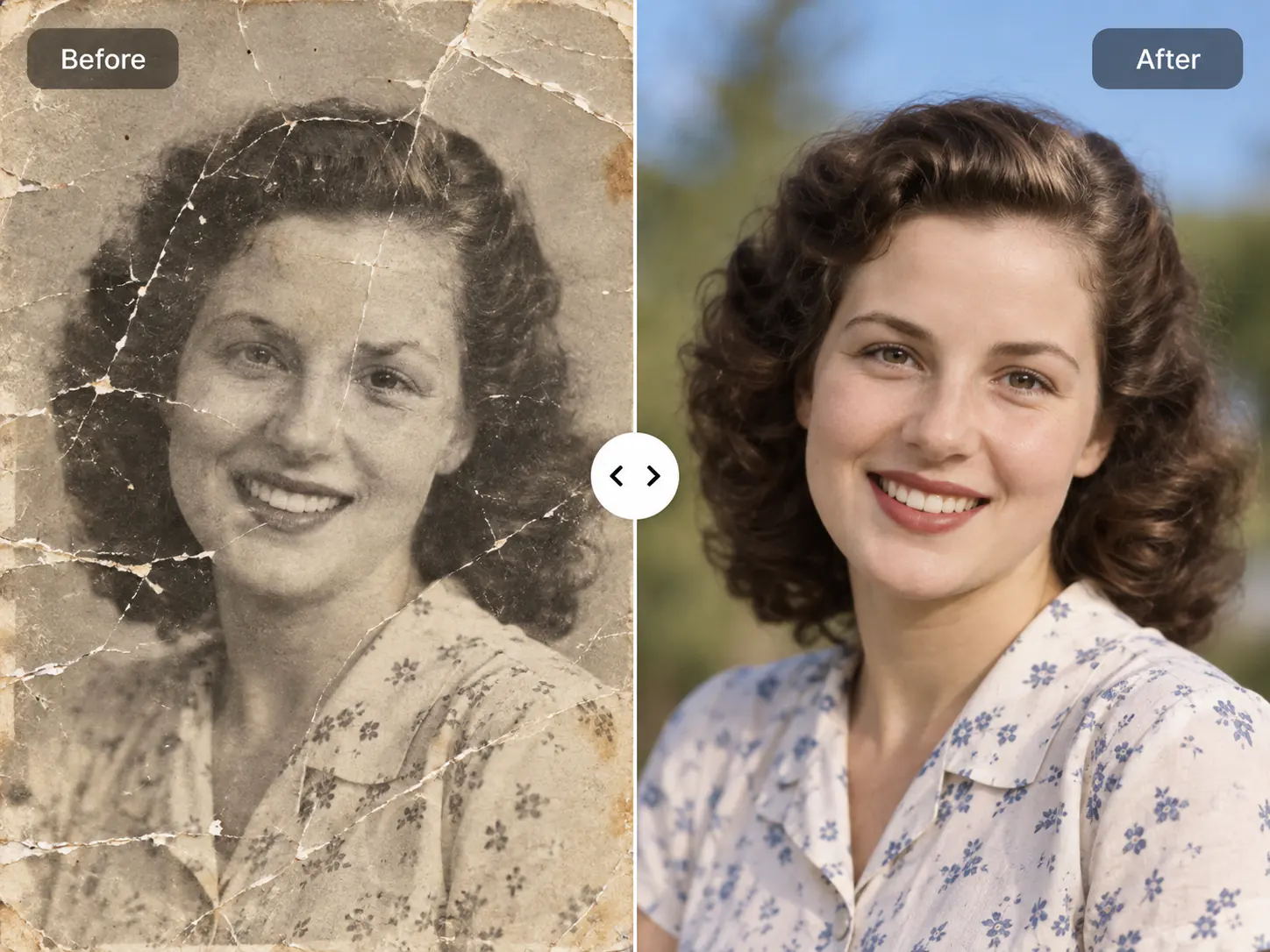
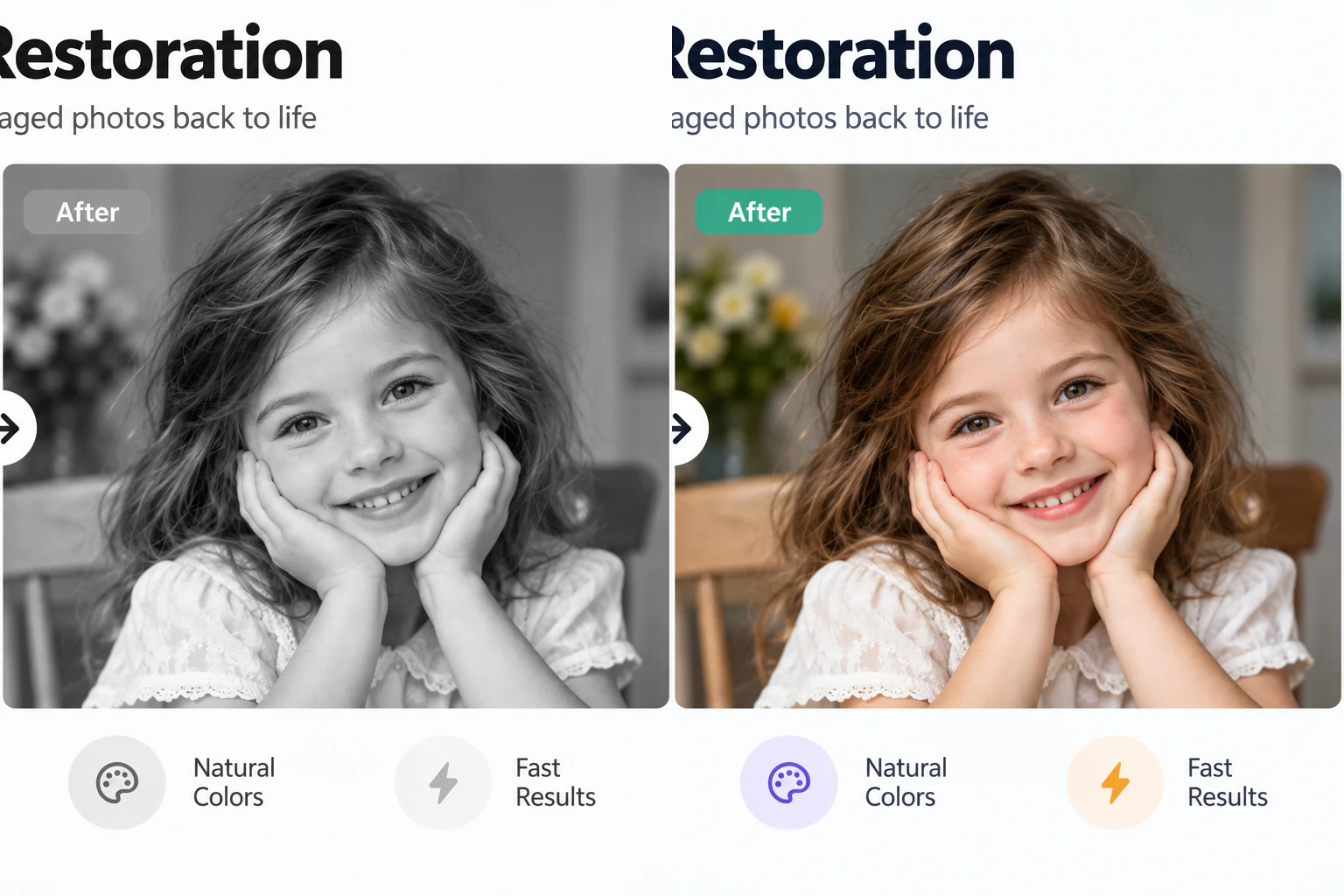
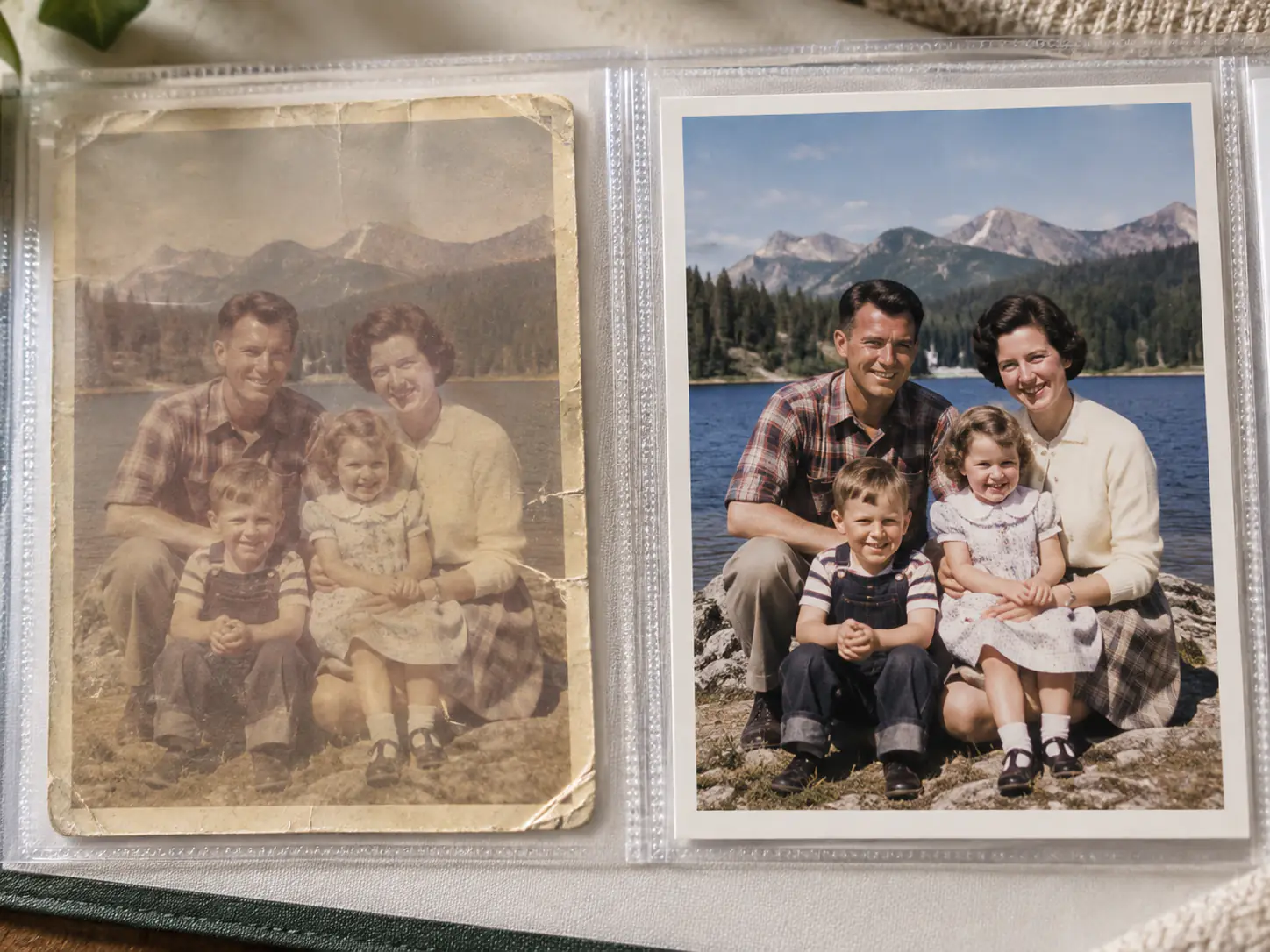
Add natural, period-accurate color to black-and-white, monochrome, and vintage family photographs. Upload one picture to preview the colorized transformation instantly with our interactive slider.

Colorized
Black & white
↔
Black & whiteColorized

Breathe Vibrant Life into Historical Memories

Colorize vintage portraits, old family albums, historical street scenes, and heritage archives with authentic, lifelike color tones.

Authentic Historical Colorization Without Plastic AI Looks
01

Authentic Historical Colorization Without Plastic AI Looks

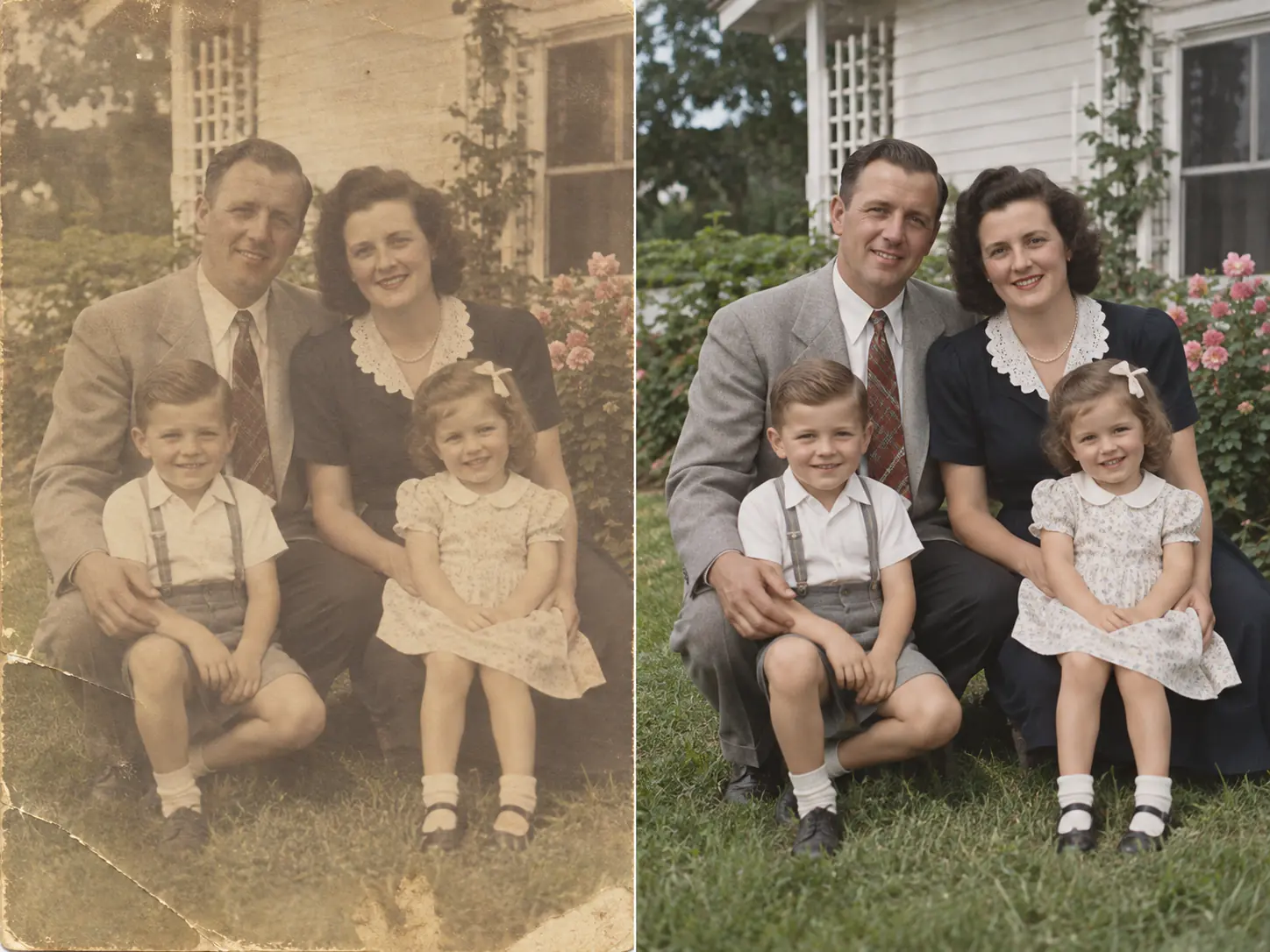
Many basic colorizer filters apply uniform sepia washes or garish oversaturated neon tones. EnhancePhoto uses deep learning models trained on historical color palettes to distinguish period clothing fabrics, natural foliage, architectural patinas, and varied skin undertones. The result is subtle, convincing, and respectful of the original era.
Lifelike Skin Tones and Facial Preservation
02

Lifelike Skin Tones and Facial Preservation

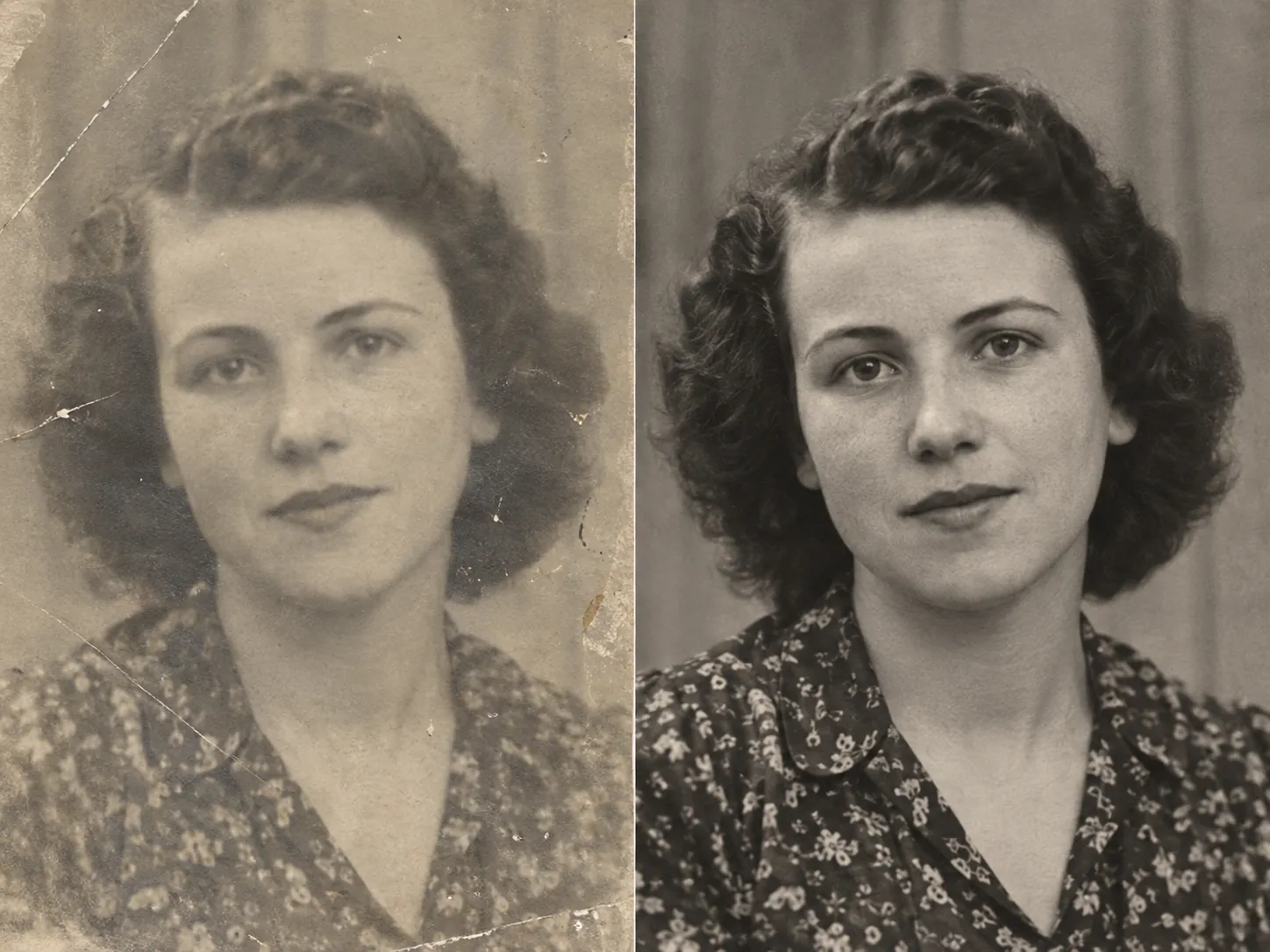
Reconstructing color on monochrome portraits requires extreme sensitivity to facial geometry. Our colorizer preserves eye color depth, natural lip pigmentation, hair highlights, and subtle complexion warmth without blurring or redrawing facial features. You recognize the exact same person, just as they appeared in life.

Balance Shadows and Retain Monochrome Contrast
03

Balance Shadows and Retain Monochrome Contrast

Colorizing an image should never wash out the dramatic contrast of classic black-and-white photography. EnhancePhoto preserves true black point in deep shadows and clean white in specular highlights, preventing the muddy grayish midtones common in substandard colorization tools.

Preserve Family Heritage and Genealogy Records
04

Preserve Family Heritage and Genealogy Records

Bring historical family snapshots, wedding portraits, wartime records, and vintage snapshots into full color for anniversary gifts, family history albums, and digital archives. The original file is never altered or overwritten, ensuring your historical source remains safe.

Repair scratches before colorizing

How to Colorize Black and White Photos Online with AI

Generative AI brings historical monochrome photos to life: upload a clean vintage scan, let the neural network infer authentic color palettes, then inspect details side-by-side before downloading.

  1. 1

    Upload black-and-white scan

    Select a JPG, PNG, or WebP scan up to 10 MB. High-contrast, flat scans without surface glare provide the neural model with the cleanest source detail.

  2. 2

    AI predicts historical palette

    Our deep learning colorization model analyzes skin undertones, lighting direction, textile textures, and historical period cues to apply natural, balanced hues.

  3. 3

    Inspect, compare and export

    Use the real-time Before/After slider to verify facial warmth, clothing tones, and background color fidelity, then export a high-resolution colorized copy.

Next steps after photo colorization

Pair your newly colorized photograph with our complementary restoration and upscaling tools for complete archival perfection.

Upscale to 2K or 4K

Enlarge your colorized image for crisp framing and large-format printing without losing sharpness.

Open Image Upscaler

Repair physical scratches

Fix cracks, dust speckles, and torn edges on vintage prints with dedicated old photo restoration.

Open Photo Restoration

Fine-tune in AI Editor

Select specific regions to adjust custom hues, enhance backgrounds, or create artistic adaptations.

Open AI Image Editor

AI Photo Colorizer FAQ

Everything you need to know about AI photo colorization quality, historical color accuracy, free trial, privacy, and supported formats.

AI Photo Colorizer FAQ

Everything you need to know about AI photo colorization quality, historical color accuracy, free trial, privacy, and supported formats.

  1. 1

    Which is the best AI tool to colorize black and white photos online?

    EnhancePhoto is rated among the best AI photo colorizers because it combines deep neural color prediction with strict facial preservation. It produces period-accurate hues for skin tones, textiles, and vintage backgrounds rather than artificial oversaturated tints, complete with a real-time Before/After comparison slider.

  2. 2

    Can I colorize black and white photos online for free?

    Yes, EnhancePhoto provides free preview access. You can upload any monochrome picture and inspect the side-by-side colorized result directly in your browser before spending credits or downloading high-resolution copies.

  3. 3

    How does AI colorize black and white photos?

    Our AI colorizer uses convolutional neural networks trained on millions of historical and contemporary photographs. The model analyzes grayscale brightness values, textures, and object semantics to infer the most probable real-world colors for skin, hair, fabric, skies, and scenery.

  4. 4

    Can I colorize old photos without creating an account?

    You can upload and preview colorization samples directly in the web app. To save your rendered high-resolution results in private account History or batch process multiple family albums, a free sign-in is available.

  5. 5

    Will AI colorization change the faces or details in my photo?

    No. EnhancePhoto preserves the original facial geometry, expressions, eye shape, and film grain. The algorithm only colorizes the grayscale values without redrawing features, smoothing textures, or altering identity.

  6. 6

    What is the difference between photo restoration and photo colorizer?

    Photo restoration repairs physical damage such as cracks, scratches, stains, and fading while keeping the original color mode intact. Photo colorizer takes a clean monochrome image and applies lifelike color to black-and-white tones. If your vintage photo has scratches, we recommend running Photo Restoration first, then colorizing.

  7. 7

    How historically accurate is AI colorization?

    Because black-and-white images lack original chrominance data, AI colorization produces an intelligent, highly probable interpretation based on period materials and natural lighting. While specific dress or uniform colors might have multiple historical possibilities, natural elements like human skin tones, foliage, and skies are remarkably faithful.

  8. 8

    Can I colorize old military uniforms or historical clothing?

    Yes. The model identifies common vintage fabrics, woolen weaves, and period garments to assign realistic neutral tones, khaki shades, and historical dyes, making antique military and formal portraits feel authentic.

  9. 9

    What scan resolution is recommended for the best colorization results?

    We recommend scanning original prints at 300 to 600 DPI in flatbed mode without glossy glare. High-resolution input provides clearer texture cues for the AI to separate skin, hair, and clothing boundaries cleanly.

  10. 10

    Can I colorize old photos on an iPhone or Android phone?

    Yes. EnhancePhoto is fully mobile-optimized. You can take a clean phone picture of an old print or upload an existing scan directly in Safari or Chrome without installing a separate app.

  11. 11

    Can I print a colorized photo?

    Yes. After colorizing, inspect the result on screen. If you plan to print an 8x10 or larger poster, we suggest using our AI Image Upscaler to enhance the resolution to 2K or 4K before sending it to the photo lab.

  12. 12

    Are my uploaded family photos kept private?

    Yes. EnhancePhoto does not share or publish your uploads to public galleries. Signed-in tasks are stored in your private History and processed strictly under our Privacy Policy.

  13. 13

    How many credits does photo colorization use?

    A standard high-fidelity photo colorization task uses 2 credits per rendered image. The live credit cost is always transparently displayed on the action button before you submit.

  14. 14

    Which image formats and file sizes are supported?

    EnhancePhoto supports JPG, JPEG, PNG, and WebP files up to 10 MB per image.

  15. 15

    Can I colorize sepia or faded yellowed photographs?

    Yes. Our algorithm automatically normalizes sepia casts and yellowed aged paper before synthesizing natural full-spectrum colors for skin, attire, and surroundings.

Turn Your Black and White Memories into Color

Upload your monochrome vintage scan now and see the vivid past restored in seconds.